Documentation
Learn how Polypane improves your workflow
1Password setup instructions
The 1Password desktop app on Linux and Macos can be configured to connect to the 1Password browser extension in Polypane, but it requires you to explicitly add Polypane as a browser in the 1Password app.
Connecting to your desktop app enables logging in with a passkey through the desktop app, as well as automatically unlocking the browser extension.
Macos
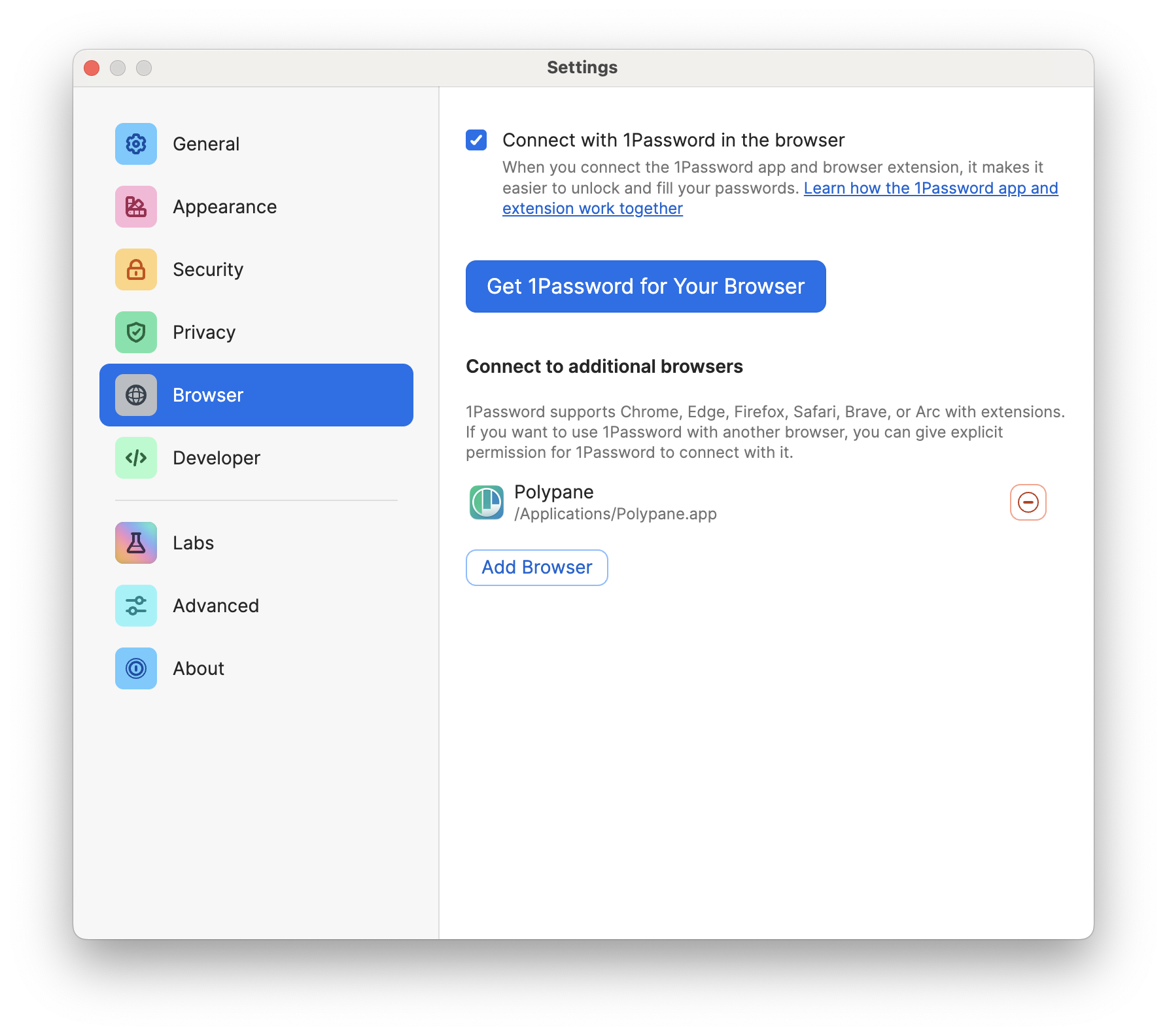
On MacOS, go to the settings, then to the "Browser" tab, and click on "Add Browser". Select the polypane.live from the list of applications.
Linux
On Linux you need to add Polypane to a configuration file that the 1Password app uses to determine which browsers are installed.
Create the 1password configuration directory if it does not exist:
sudo mkdir /etc/1passwordCreate the custom allowed browsers file if it does not exist:
sudo touch /etc/1password/custom_allowed_browsersThen add polypane to the file, for example by running:
echo "polypane" | sudo tee -a /etc/1password/custom_allowed_browsersWindows
A similar feature is not available on Windows, but you can still use the 1Password browser extension in Polypane without the desktop app.
Install the 1Password extension from the Chrome Web Store.
Have a question about Polypane?
Reach out via (real human) chat, Slack or our contact form:
Contact SupportBuild the way you already build, without missing anything.
Free 14 day trial, no credit card needed.
- 1 Create your account. Takes a minute.
- 2 Download the app. For Windows, Mac & Linux.
- 3 Build your next project with Polypane

